Last updated:
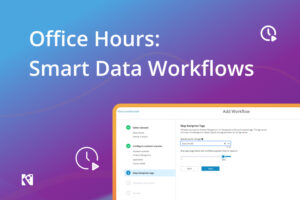 Welcome back to Office Hours. Session One covered data tiering and the storage price spike. This is Session Two, on AI data workflows and KAPPA Data Services, with Benjamin Henry, Field CTO, Komprise.
The Last Mile Gets the Headlines. The First Mile Is Still Broken
Most AI coverage focuses on the last mile: better chunking strategies, faster vector embedding, cleaner vectorization, smarter RAG pipelines. None of it matters if the data feeding those pipelines never gets there. Unstructured data is growing at at 80% to 90%, three times faster than structured data, per IDC.
Most of that unstructured data is not AI-ready:
- It sits in silos across sites, storage vendors, and clouds;
- Moving a single petabyte can take weeks and most large enterprises manage 10 or more.
- A large share of it is also ROT data, duplicate, rarely accessed, or non-authoritative copies that should never reach an AI pipeline in the first place, but is too heavy and too costly to sort before moving.
The Pain: Sensitive Data Is Blocking Your AI Roadmap
Gartner predicts 60% of AI projects will be abandoned through 2026 for lack of AI-ready data, and a related Gartner survey found 63% of organizations lack, or are unsure they have, the right data management practices for AI, per its own research. IT teams know PII and PHI are buried in their unstructured data, cannot find it, and will not risk feeding it into an AI pipeline until they can. Legacy tools do not help. Most scan an entire data lake before filtering anything, or, like rsync, force a full copy of the source data store into the cloud before you can even start.
Step One: Filter and Curate Before You Scan Anything
Komprise Smart Data Workflows for AI helps teams discover, classify, curate, and ingest the right unstructured data, so AI initiatives move faster with stronger governance and better ROI. Every Smart Data Workflow starts by querying the Komprise Global Metadatabase in Deep Analytics, not by scanning storage directly.
- Drill down before you search. Go from an entire site to a single cluster, share, or subfolder. In the demo, narrowing to one subfolder and a set of text-based file types cut a search from an entire data lake to 146,000 files before any content scanning started.
- Save the query, then reuse it. A saved query becomes the target data set for a workflow, a tiering plan, or an AI ingest job. Mark it public so colleagues can run the same query instead of rebuilding filters from scratch.
Step Two: Detect and Tag What Metadata Alone Can’t Show You
- Run a PII scanner without writing code. Choose from 68 built-in content scanners (Visa card numbers, national IDs, and more), point it at a saved query, and it tags every match with a custom tag and value. Your sensitive data stays in place.
- Fall back to keyword or regex for anything custom. Keyword search is case-sensitive plain text, useful for stacking name variants. Regex handles organization-specific formats like medical record numbers, using pattern arrays and proximity words (requiring “MRN” near a number, for example) to cut false positives.
- Confine, don’t just report. A confine action moves matches into a hidden, admin-only area and sanitizes the source location, but keeps the folder structure intact so legal or compliance can review and drag files back once cleared. Workflows run once or repeat, rescanning everything or just what changed.
Step Three: Schedule for Ingest
A separate workflow then creates a high-speed copy into the AI pipeline, not a bulk migration.
- Target the query, not the share. Point the AI ingest workflow at the same saved query used to confine the sensitive data, so only the clean subset moves.
- Configure the destination like a migration job, then schedule it. Bucket, prefix, region, storage class, and credentials are set per job, so different projects land in different prefixes of the same bucket. Start it automatically or hold it for an off-hours run.
Proof at Scale: AI Data Ingestion for Digital Pathology
A large health system partnered with an AI vendor on digital pathology, but prior tools wanted to copy an entire on-premises data store, over 2PB, into the cloud repeatedly, which was cost-prohibitive. With Komprise, on-premises storage is scanned for new slides every five minutes, only unanalyzed slides move to S3, and each cloud copy expires after 30 days unless the AI vendor calls back through the API for a specific slide.
KAPPA Data Services: Industry Specific Metadata Extraction
KAPPA data services, short for Komprise AI Preparation and Process Automation, look inside the file to extract required header metadata. In the demo, a medical research institution with a 12-month grant deadline needed just the chest X-rays out of a 2PB, multi-hospital imaging archive, a task it feared would eat the entire deadline using each hospital’s legacy system plug-in. KAPPA got there in one session.
- It runs your Python, not a proprietary adapter. KAPPA executes short, per-file Python functions on infrastructure Komprise already runs, so there is no compute to stand up, no plug-in to maintain per system. The DICOM script ran in 21 lines using the open-source Pydicom library, pulling eight header fields (including body part examined) into searchable tags across 99 files, filtered from a starting query of 198.
- The use cases go well beyond healthcare. Metadata enrichment through KAPPA covers media image metadata, legal PDF page counts (useful when a cloud vendor charges more for files over 25 pages), oil and gas subsurface data and ERP or Salesforce budget IDs.
- It is still early access, rolling out alongside Smart Data Workflows updates in the 6.51 release. Talk to your account team about timing and use cases.
- Legacy ETL pipelines and storage-vendor plug-ins are slow to build, expensive to maintain, and tied to whatever the vendor decided to support. KAPPA runs on infrastructure you already have, in Python which has one of the largest library ecosystems.
Key Takeaways
- Filter and curate before you scan. Reducing the data set first is what makes content-level PII and PHI detection fast enough to run continuously.
- Confine before you ingest. Quarantining sensitive matches, with the original folder structure intact, means legal and compliance can review before anything reaches an AI pipeline.
- Workflows can run 24 hours a day. Continuous scanning is what prevents new sensitive data from slipping through between reviews.
- KAPPA replaces legacy plug-ins with a few lines of Python running on infrastructure you already have.
Watch the Webinar
Watch all of the Office Hours recordings and register for the next one here.