 Stretch Your Flash with Komprise: 3 Steps to Storage Budget Relief
Ten months into 2026, memflation is both a budget problem and a supply chain problem, and AI is driving both with no end in sight. AI data center demand is absorbing memory and flash supply, so IT infrastructure prices keep surging and renewals cost more. Even teams that can find the budget can’t get the hardware: according to some of our customers, lead times run 40 weeks or more.
This post reviews the latest Office Hours session, Flash Stretch: The Storage Budget Relief IT Needs, with Benjamin Henry, Field CTO, Komprise. Sign up for the next Office Hours webinar and watch recordings.
The Pain: Storage Prices Haven’t Let Up
- Flash pricing is roughly 6.5 times higher than it was in the third quarter of 2025, according to Vdura.
- Renewals are going up too. Maintenance on storage you already own costs more, because vendors still must buy the parts that back the warranty.
- Supply is the real constraint. Even if you can justify the inflated price, you can’t get the storage. Ben hears from teams waiting 40 weeks or more for delivery, after being told to sign quotes within 24 to 48 hours or absorb an increase of 10% to 100%.
Meanwhile, more than 70% of the data on that expensive storage is typically cold. In Ben’s words: “The cheapest capacity you own is the capacity that’s in your four walls today.” Komprise reclaims that capacity and frees the budget you would have spent on another shelf for compute and GPUs.
Proof From the Customer Side
Before joining Komprise, Ben was a Komprise customer. His CIO mandated a 30% capacity reduction across block and unstructured storage, and Ben owned unstructured. The analysis showed far more than 30% to work with: close to 70% of the data had not been accessed in two years or more. Tiering it off saved millions of dollars, which the team reinvested in re-platforming onto all-flash storage. The mandate came from the top, and that top-down approval cleared the way for everything that followed.
Step One: Find the Capacity and Project the Growth
If you’re new to tiering with Komprise, start with the first session in the series, Optimize Your Storage Strategy: Data Tiering Best Practices. The recap blog covers the right approach to tiering, from setting cold-data thresholds and recall rules to building cost models and dynamic links. This session builds on those best practices with a forward-looking question: how long until you run out?
Discover once, analyze continuously. Point Komprise at a cluster (Dell PowerScale in the demo) with management credentials, and it discovers every access zone, share and export protocol. Enable shares one at a time or in bulk. Analytics populate while the scan runs, so you have intelligence from the first minute.
Project growth by share and by site. A configurable growth column projects the year ahead. In the demo, one marketing share was on pace to grow 21%, and the Atlanta site was projected to add about 384 TB.
Build your own view, then export it. Customize the Data Stores columns and export to CSV to model capacity however your team prefers.
Step Two: Model the Savings, Then Make the Policy Precise
Sanity-check the cost model. The default of $700 per TB per year works out to about 5.7 cents per GB per month, which may now be much less than what Flash costs. Set a separate rate for the target: infrequent-access, Glacier-class cloud storage, or on-premises tape.
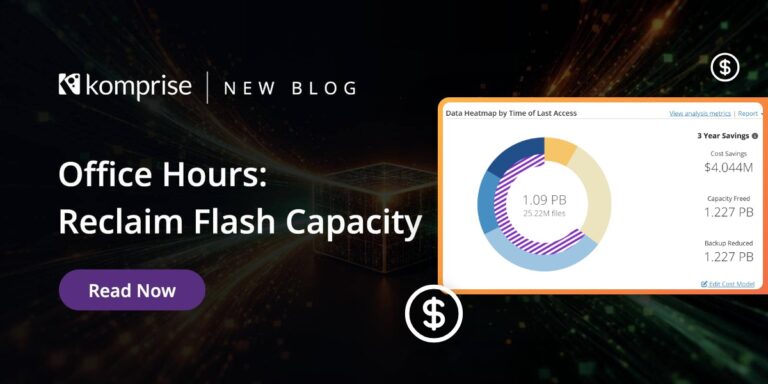
Start with age. A one-year access policy across the Atlanta site projected $4.8 million in savings over three years, along with the capacity freed and growth with and without Komprise. Default exclusions skip files under 128 KB, which many cloud targets don’t want. Adjust that or add extension and directory exclusions.
Get surgical with Deep Analytics. Swap the age slider for a saved query. In the demo, video files on one storage system not accessed in a year or more narrowed to just under 500,000 files. Stack that query as another group in the same plan.
Set it once. Plans run continuously. Every day, more data crosses the threshold and moves, so savings keep growing without rebuilding the policy.
Choose links or no links. With Transparent Move Technology, dynamic links stay behind, so users and applications open tiered files exactly as before. Without links, you get a traditional archive.
Step Three: Communicate the Savings North, South, East and West
Tiering gets approved when the people who control the budget see the numbers. The Komprise Reports blog covers each report in depth. Here is how Ben uses them to build the business case.
Schedule Showback to leadership. Filter, save and schedule a report showing total spend, potential savings and realized savings, delivered to the IT executive weekly or monthly. Use one blended rate, or one plan per vendor for vendor-specific costs.
Price the orphans. The orphaned data report for the demo Boston site came to $280,000 a year. Some orphaned data is still in use, so narrow it to orphaned and untouched for a year or more before you tier or confine it.
Find duplicates across every vendor. You define what counts as a duplicate. The report spans every silo, not one array.
Lead with finance. Ben’s advice for getting past internal resistance is to start at the top: what you spend today, what you could save, and when growth outruns capacity. Many file systems are at risk when 85% full, at serious risk at 90%, and shutting down at 95%.
Beyond Capacity: Retention, Tape and Lakehouse Exports
Turn retention policies into plans. Tag a query (Department: Marketing, Retention: One Year), then build a confine plan on those tags. Confine moves matching data to a recycle-bin folder you name, so legal or compliance validates it and pushes the delete button.
Tier to tape with Spectra Logic BlackPearl. Komprise now supports Spectra Logic BlackPearl as a target. With disk and flash prices this high, tape is back for large volumes of cold and archive data. When a user opens a tiered file, Komprise calls the BlackPearl warming API to recall it from the tape library.
Export metadata to your lakehouse from the UI. Deep Analytics results now export in CSV or Parquet/Iceberg format to a destination you choose, ready for Snowflake, Databricks or Microsoft Fabric. That gap matters: in a Snowflake webinar, 80% of enterprise data is unstructured, growing about 60% a year, with only about half a percent of that metadata reaching BI platforms. Transparent File Tables take this further.
Give data owners scoped access. A Deep Analytics-only role lets users query and tag across the whole estate or a subset of it, yet restricts the ability to move or delete data.
Coming Next: Ask Komprise in Plain English
Ben closed the demo with a preview of the Komprise Universal File MCP. Connect the LLM you already use, whether Claude, Copilot or Cursor, and ask questions in natural language. He asked about cold data in Atlanta, narrowed it to data untouched for two years or more, then asked for an executive presentation in his own corporate branding showing capacity, file counts, potential savings and progress to date.
Because the Global Metadatabase already holds metadata across every silo, one MCP server answers questions that would otherwise go to several vendor-specific ones. That cuts MCP bloat and token consumption. The next Office Hours, on December 3, goes deep on the Universal File MCP. Register here. .
Why Not Use Native Storage Tiering?
Storage-vendor tiering locks you in. Block-level tiering means recalling all that data and paying egress fees when you migrate. Komprise tiers at the file level across every vendor, so you migrate between platforms without rehydrating, recalling or paying an egress charge.
That is the idea behind stretching your flash: Komprise models how much primary capacity your environment can free up, and what it is worth, before you sign the next storage quote. As Ben put it: “Be the hero and deliver the savings to your organization.”
Key Takeaways
- More than 70% of data on primary storage is typically cold. Reclaiming it is the fastest capacity you can add this year.
- Project growth before you run out. Know when a share will hit 85% full before procurement gives you 24 hours to sign.
- Start with age, get precise with Deep Analytics queries, and let plans run continuously.
- Schedule show-back reports and lead with finance. Top-down approval clears the objections that stall tiering.
- File-level tiering across vendors means no rehydration penalty and no lock-in when you migrate.
Watch the Webinar
Watch all of the recordings and register for the next one here.